
Swapping column values in MySQL table

In this post I would like to share my views on how swapping column values in MySQL table. Recently I have a requirement that one record should be active mode in the given point of time remaining records should be in inactive mode. I have got the solution for it. So I would like to share my views on it.
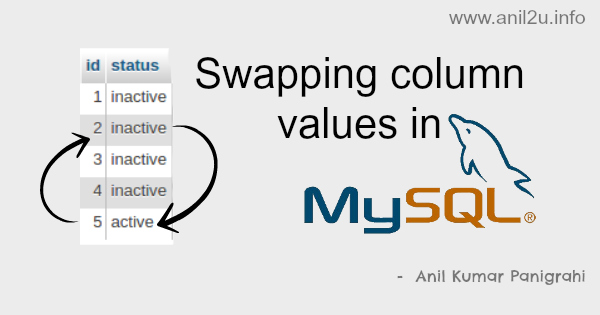
Swapping column values in MySQL table by Anil Kumar Panigrahi

demo link for Swapping column values in MySQL table

MySQL table :

CREATE TABLE IF NOT EXISTS users (
  id int(11) NOT NULL AUTO_INCREMENT,
  status varchar(20) DEFAULT NULL,
  PRIMARY KEY (id)
) ENGINE=InnoDB  DEFAULT CHARSET=utf8  ;

Sample data to the table :

INSERT INTO users (id, status) VALUES
(1, 'inactive'),
(2, 'inactive'),
(3, 'inactive'),
(4, 'inactive'),
(5, 'active');
here we have one active user , remaining are in inactive status. Just I want to active the user id ‘2’ then run the below query:

MySQL Query :

update users a
 inner join users b on a.id <> b.id
    set a.status = b.status
 where a.id in (2,5) and b.id in (2,5);
here swapped column values between 2, 5
Also see

Comments

Popular posts from this blog

Learn phpfox

PHPFox  is a social network script, it is an internet application and when you install it, it is a website. The  phpfox  script comes in 3 packages, each with a different set of modules. it has two products: 1. Nebula (upto phpfox 3.8) 2. Neutron (Newer) You can check the demo on :  http://www.phpfox.com =================================================== To clear cache in phpfox follow the following steps, admincp >> Tools >> Maintenance >> Cache Manager >> Click on Clear All button =================================================== To work facebook app on local Following settings need to done in facebook app   1) go => setting => Advance 2) see "OAuth Settings" area and set "Valid OAuth redirect URIs" =  http:// projectdomain /index.php?do=/user/login/, http:// projectdomain .com/index.php?do=/user/register/, http:// projectdomain .com, http:// projectdomain .com/index.php 3) en...

Interview PHP

>> Why do you want to work at our company? Sir, It is a great privilege for anyone to work in a reputed company like yours. When I read about your company I found that my skills are matching your requirements.  Where I can showcase my technical skills to contribute to the company growth. >> What are your strengths? I am very much hard working and optimistic. Hard Working: Work with dedication and determination. Optimistic: work with positive attitude. I am a team player. I am also very hardworking, and will do what it takes to get the job done. >> What are your weaknesses? Gets nervous when talk to strangers I am a bit lazy about which I am not interested I tend to trust people too easily. I am working on it. >> Why should I hire you? With reference to my work experience, I satisfy all the requirement for this job. I am sincere with my work and would never let you down in anyway. I promise you will never regret for the decision to a...

How to Make Your Own PHP Captcha Generator

In this article we will create file based simple yet successful captcha generator. 3 Major Anti-spamming techniques used? Mathematical Operation like Random number + Random Number = -> The user must specify the answer Random word -> User must type the word Random question -> Obvious one which the user should answer correctly [ex: Are you human?] How Captcha works? The captcha generator generates an IMAGE with the question and then put up a session variable storing the value. User input though an input box. Using php POST, we compare the session variable data with the user input and tell whether its a bot or human. Its coding time The Code First let's write the php script which generates the captcha image. We use the simple header-content change technique, from which we can easily bring up an image from a given text. captcha.php PHP Code: array("Num" => "Num"), 1 => array("Are y...