
Swapping column values in MySQL table

In this post I would like to share my views on how swapping column values in MySQL table. Recently I have a requirement that one record should be active mode in the given point of time remaining records should be in inactive mode. I have got the solution for it. So I would like to share my views on it.
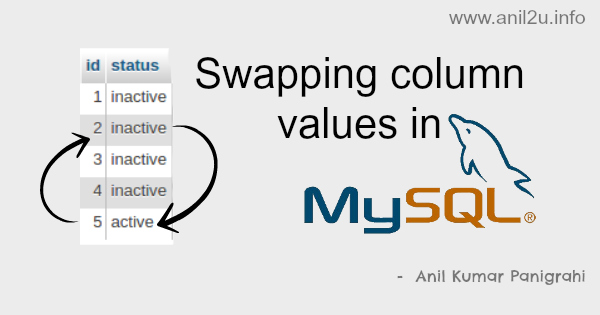
Swapping column values in MySQL table by Anil Kumar Panigrahi
demo link for Swapping column values in MySQL table

MySQL table :

CREATE TABLE IF NOT EXISTS users (
  id int(11) NOT NULL AUTO_INCREMENT,
  status varchar(20) DEFAULT NULL,
  PRIMARY KEY (id)
) ENGINE=InnoDB  DEFAULT CHARSET=utf8  ;

Sample data to the table :

INSERT INTO users (id, status) VALUES
(1, 'inactive'),
(2, 'inactive'),
(3, 'inactive'),
(4, 'inactive'),
(5, 'active');
here we have one active user , remaining are in inactive status. Just I want to active the user id ‘2’ then run the below query:

MySQL Query :

update users a
 inner join users b on a.id <> b.id
    set a.status = b.status
 where a.id in (2,5) and b.id in (2,5);
here swapped column values between 2, 5
Also see

Comments

Popular posts from this blog

Learn phpfox

PHPFox  is a social network script, it is an internet application and when you install it, it is a website. The  phpfox  script comes in 3 packages, each with a different set of modules. it has two products: 1. Nebula (upto phpfox 3.8) 2. Neutron (Newer) You can check the demo on :  http://www.phpfox.com =================================================== To clear cache in phpfox follow the following steps, admincp >> Tools >> Maintenance >> Cache Manager >> Click on Clear All button =================================================== To work facebook app on local Following settings need to done in facebook app   1) go => setting => Advance 2) see "OAuth Settings" area and set "Valid OAuth redirect URIs" =  http:// projectdomain /index.php?do=/user/login/, http:// projectdomain .com/index.php?do=/user/register/, http:// projectdomain .com, http:// projectdomain .com/index.php 3) en...

How to Make Your Own PHP Captcha Generator

In this article we will create file based simple yet successful captcha generator. 3 Major Anti-spamming techniques used? Mathematical Operation like Random number + Random Number = -> The user must specify the answer Random word -> User must type the word Random question -> Obvious one which the user should answer correctly [ex: Are you human?] How Captcha works? The captcha generator generates an IMAGE with the question and then put up a session variable storing the value. User input though an input box. Using php POST, we compare the session variable data with the user input and tell whether its a bot or human. Its coding time The Code First let's write the php script which generates the captcha image. We use the simple header-content change technique, from which we can easily bring up an image from a given text. captcha.php PHP Code: array("Num" => "Num"), 1 => array("Are y...

Joomla Flash Tutorial

Joomla Flash Tutorial Adding a custom-made Flash animation created with Anim-FX to Frontpage is a snap By following these simple steps, you will be up and running in no time at all and impressing all of your visitors with your talents! First create your Flash animations in Anim-FX, and make sure the *.swf and *.txt files are in the base html directory.  Do not make the mistake of uploading them into the images or images/flash directory.  Also the flash does not work if loaded into the template directory.  Both files must be in the html directory where the index.php file is located. Then you can either copy the HTML generated by Anim-FX into the index.php file to the appropriate location or use a Joomla Flash Module.  Edit the index.php file which drives your Joomla template. Method 1: Editing the index.php for your Joomla template: Copy the follow...